
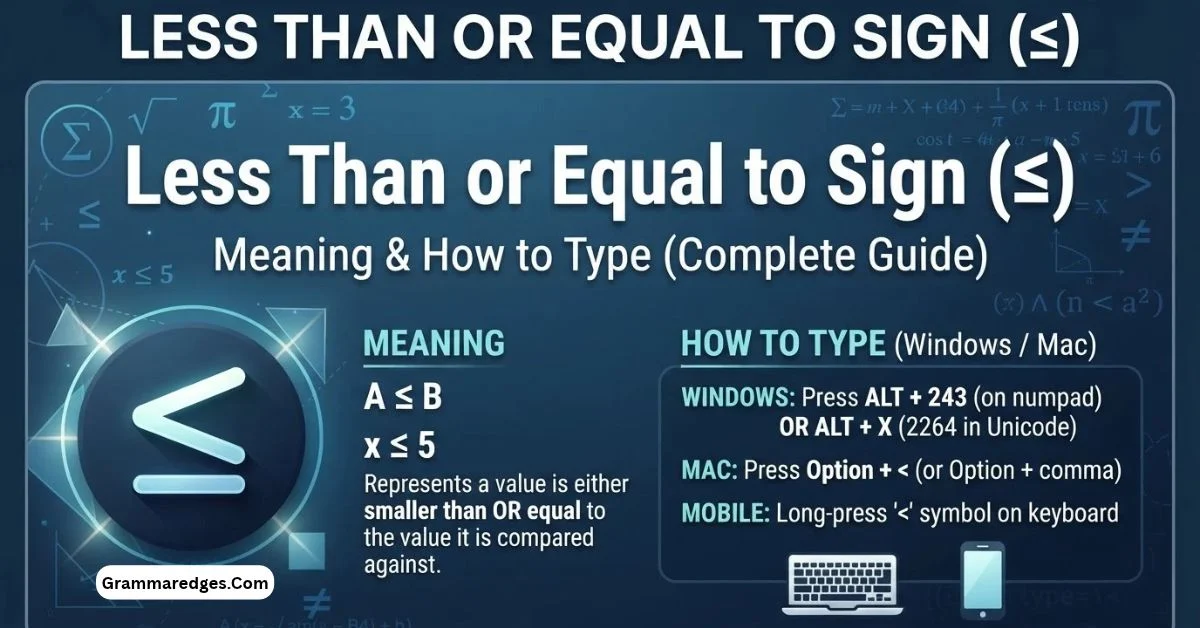
The less than or equal to sign (≤) is a mathematical symbol used to show that one value is smaller than or exactly equal to another value. For example, x ≤ 10 means that x can be 10, or any number less than 10. The symbol is commonly used in mathematics, statistics, equations, spreadsheets, and technical writing.
Key Takeaways
- The less than or equal to sign is ≤.
- It means “less than or equal to.”
- x ≤ 5 means x can be 5 or any value below 5.
- The Unicode code point for ≤ is U+2264.
- You can copy ≤ directly or insert it through keyboard and symbol tools.
- In many spreadsheet formulas and programming languages, the equivalent operator is written as
<=.
What Does the Less Than or Equal to Sign (≤) Mean?
The less than or equal to sign (≤) is used to compare two values.
It tells you that the value on the left is either smaller than or exactly the same as the value on the right.
For example:
4 ≤ 9
This statement is true because 4 is less than 9.
Now consider:
9 ≤ 9
This is also true because the two numbers are equal.
The symbol combines two ideas:
- < means less than
- = means equal to
Together, they create ≤, meaning less than or equal to.
Example: 5 ≤ 10
Consider this inequality:
5 ≤ 10
You can read it as:
“Five is less than or equal to ten.”
Because 5 is less than 10, the statement is true.
But:
10 ≤ 5
is false because 10 is greater than 5.
When the Values Are Equal
The “equal to” part is important.
For example:
x ≤ 20
does not mean x must be smaller than 20.
It allows x to be exactly 20.
Therefore, values such as these satisfy the condition:
10, 15, 19, 20
The same idea applies to decimals and negative numbers:
2.5 ≤ 3
-4 ≤ -2
0 ≤ 0
Less Than or Equal to Sign vs. Other Comparison Symbols
Comparison symbols can look similar, but they have different meanings.
| Symbol | Name | Meaning | Example |
|---|---|---|---|
< | Less than | Left value is smaller | 3 < 8 |
≤ | Less than or equal to | Left value is smaller or equal | 3 ≤ 8 |
> | Greater than | Left value is larger | 8 > 3 |
≥ | Greater than or equal to | Left value is larger or equal | 8 ≥ 3 |
= | Equal to | Both values are the same | 5 = 5 |
The easiest way to remember ≤ is to look at the pointed side and the horizontal line.
The pointed part represents less than, while the additional line represents equal to.
< Less Than
The symbol < means the first value must be smaller.
4 < 10
Four is less than ten.
However, 10 < 10 is false because the values are equal.
≤ Less Than or Equal To
The symbol ≤ allows both possibilities.
4 ≤ 10 is true.
10 ≤ 10 is also true.
> Greater Than
The symbol > means the value on the left is larger.
10 > 4
≥ Greater Than or Equal To
The symbol ≥ allows the left value to be either larger or equal.
10 ≥ 4
and
10 ≥ 10
are both true.
How to Use ≤ in Math
The less than or equal to sign appears frequently in equations and inequalities.
Comparing Numbers
The simplest use is comparing two numbers.
Examples:
7 ≤ 12
25 ≤ 30
100 ≤ 100
Each statement is true.
You can also use variables:
x ≤ 50
This means that x can have a value of 50 or anything below 50.
Writing Inequalities
An inequality describes a relationship between values.
For example:
x + 2 ≤ 10
To solve it, subtract 2 from both sides:
x ≤ 8
So any value of x that is 8 or lower satisfies the inequality.
Setting Limits and Conditions
The symbol is also useful when describing limits.
For example:
Age ≤ 18
means the age is 18 or younger.
Similarly:
Temperature ≤ 32°F
means the temperature is 32°F or lower.
You may see this type of notation in mathematics, science, statistics, instructions, and technical documents.
How to Type the Less Than or Equal to Sign
If you need the actual symbol, you can simply copy it here:
≤
This is often the quickest option when you only need the character once.
Copy and Paste
Copy:
≤
Then paste it wherever you need it.
This works well for emails, documents, websites, messages, notes, and many other applications.
Windows
Windows users have several ways to insert the symbol.
In applications that support Unicode conversion, such as Microsoft Word, type:
2264
Then press:
Alt + X
The number converts into ≤.
Another option is to use the Windows symbol or character tools available in your application.
Some Windows environments also support numeric Alt codes, but their behavior can depend on the keyboard and character-code system being used. If a shortcut does not work, copying ≤ or using the application’s symbol menu is usually simpler.
Microsoft Word
Microsoft Word provides several ways to insert mathematical symbols.
One convenient method is:
- Place the cursor where you want the symbol.
- Type 2264.
- Press Alt + X.
- Word converts the code into ≤.
You can also use Word’s symbol or equation features.
For mathematical writing, Word’s Math AutoCorrect system also recognizes \leq for the less than or equal to symbol.
Mac
On a Mac, the easiest reliable method is to use the Character Viewer.
You can open the character and symbol picker, search for “less than or equal to,” and select ≤.
You can also simply copy the symbol:
≤
This is especially useful if you rarely need mathematical symbols and do not want to memorize keyboard shortcuts.
Google Docs
In Google Docs, use:
Insert → Special characters
Search for:
less than or equal to
Then select ≤.
You can also copy and paste the symbol directly into your document.
iPhone and Android
On mobile devices, the exact keyboard layout can vary by keyboard app and device.
A practical method is to look for ≤ among the additional symbols associated with the less-than key.
If it is not available, copy and paste:
≤
For occasional use, copy and paste is usually faster than searching through symbol menus.
Less Than or Equal to Sign in Excel and Spreadsheets
The symbol has an important distinction in spreadsheet work.
If you want to display the actual character, you can enter:
≤
as text or insert it as a symbol.
But when you are writing a formula that needs a comparison condition, spreadsheet formulas commonly use:
<=
For example, a condition such as:
A1 <= 100
means the value in A1 is less than or equal to 100.
This is different from simply displaying the Unicode character ≤ in a cell.
That distinction is useful because ≤ is a mathematical character, while <= is a two-character comparison operator used by many computer languages and formula systems.
Unicode, HTML, and LaTeX Codes for ≤
The less than or equal to symbol has a standard Unicode identity.
| Format | Code |
|---|---|
| Symbol | ≤ |
| Unicode | U+2264 |
| Decimal Unicode | 8804 |
| HTML named entity | ≤ |
| HTML decimal | ≤ |
| HTML hexadecimal | ≤ |
| LaTeX | \leq |
The Unicode Standard identifies U+2264 as LESS-THAN OR EQUAL TO.
For people working with websites, programming, mathematical documents, or technical content, knowing the Unicode value can make the symbol easier to identify and reproduce.
In LaTeX, \leq is commonly used to produce the symbol in mathematical mode.
Common Mistakes When Using ≤
1. Confusing ≤ with <
These symbols are not interchangeable.
x < 10
means x must be less than 10.
x ≤ 10
means x can be less than 10 or exactly 10.
That one horizontal line changes the condition.
2. Forgetting the Equal Part
If a problem says:
x ≤ 25
then 25 is included.
If it says:
x < 25
then 25 is not included.
3. Confusing ≤ with ≥
The direction matters.
x ≤ 10
means x is 10 or lower.
x ≥ 10
means x is 10 or higher.
4. Using ≤ When You Need a Formula Operator
In ordinary mathematical writing, ≤ is ideal.
In programming or spreadsheet formulas, however, you may need:
<=
instead.
Always follow the syntax required by the software or programming language you are using.
Frequently Asked Questions
What is the Unicode for ≤?
The Unicode code point for the less than or equal to sign (≤) is U+2264. Its decimal Unicode value is 8804. It is classified as a mathematical symbol and belongs to Unicode’s Mathematical Operators block.
Is ≤ the same as <?
No. < means strictly less than, while ≤ means less than or equal to. For example, 5 < 5 is false, but 5 ≤ 5 is true because the less-than-or-equal symbol allows the two values to be equal.
What does x ≤ 10 mean?
x ≤ 10 means that x can be 10 or any value below 10. Examples include 10, 9, 5, 0, and -3. A value such as 11 does not satisfy the inequality because 11 is greater than 10.
Can I copy and paste the less than or equal to sign?
Yes. You can copy this symbol directly:
≤
You can paste it into many documents, websites, emails, messages, and other applications. If you need it frequently, you can also use your operating system or application’s symbol tools.
What is the difference between ≤ and >=?
≤ means less than or equal to, while >= is commonly used in plain-text formulas and programming to mean greater than or equal to. The mathematical symbol for the latter is ≥.
Conclusion
The less than or equal to sign (≤) is a simple but important mathematical symbol. It means that one value is smaller than or equal to another value. For example, x ≤ 10 includes 10 and every value below it.
If you only need the character, you can copy ≤ directly. For technical work, remember that its Unicode code point is U+2264, while many formulas and programming environments use <= instead.
Once you understand the difference between < and ≤, inequalities and numerical conditions become much easier to read and write.