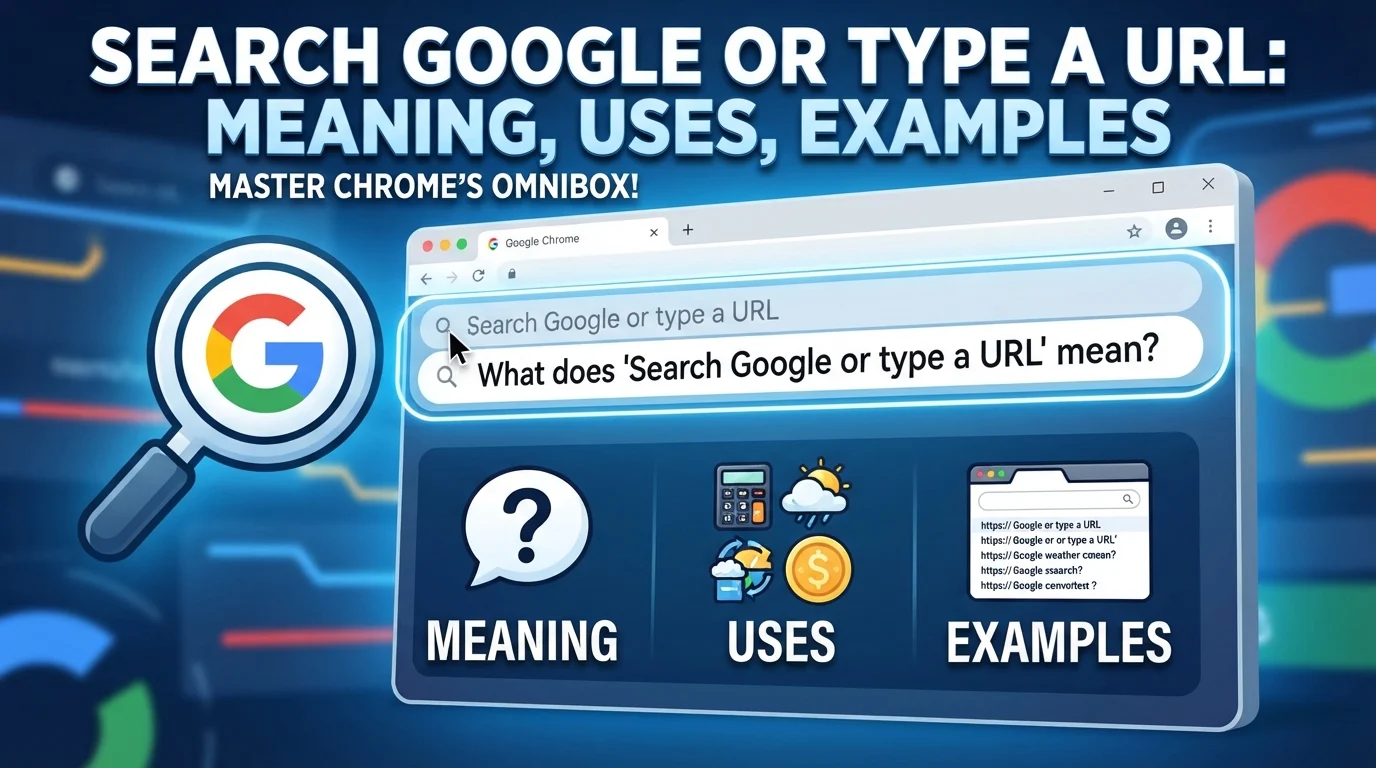
“Search Google or type a URL” is a familiar message that appears in the address bar of web browsers, especially Google Chrome. It helps users understand that they can either search for information online or enter a website’s address directly. Although the phrase looks simple, many people search for its meaning because they want to know how it works, why it appears, and whether it has any special purpose.
When you open a new browser tab, you may see this message inside the address bar. You can type a question, enter keywords, or paste a website link. The browser then helps you reach the information you need.
This phrase is not an error message, a technical command, or a warning. It is a helpful instruction designed to make browsing easier for beginners and experienced internet users alike. Understanding the difference between searching Google and typing a URL can help you browse faster, find websites directly, and use your browser more effectively.
1. Meaning and Definition of “Search Google or Type a URL”
The phrase “Search Google or type a URL” gives users two ways to access information through a web browser. You can search for something using keywords, or you can enter the exact web address of a website you want to visit.
What does “Search Google” mean?
Searching Google means entering words, questions, or phrases into the browser’s address bar to find relevant information online.
For example, if you type “best grammar websites,” your browser can send the search to Google or another configured search engine. The results may include websites, articles, images, videos, and other useful information.
You do not need to know the exact website address when using this method.
What does “Type a URL” mean?
A URL, or Uniform Resource Locator, is the address used to locate a resource on the internet.
For example:
https://www.google.comhttps://www.wikipedia.orghttps://www.example.com
When you enter a valid website address into the address bar and press Enter, your browser attempts to open that destination directly.
Why are both options available?
The two options serve different purposes.
| Option | Purpose | Example |
|---|---|---|
| Search Google | Find information | best English grammar rules |
| Type a URL | Visit a known website | https://www.wikipedia.org |
The main idea: Search when you do not know where the answer is located. Type a URL when you already know which website you want to visit.
This simple feature makes internet browsing more convenient because you do not need separate boxes for web searches and website addresses.
2. Background: Why Does This Message Appear?
The message appears because modern web browsers combine searching and website navigation in one convenient place. In Google Chrome, this area is commonly called the address bar or omnibox.
Older browsing experiences often separated the address bar from the search box. The address bar was used to enter website addresses, while a separate search field was used to look for information.
Combining these functions made browsing simpler. Users could enter either a search query or a destination without first deciding which box to use.
The role of the browser address bar
The address bar does more than display a website’s address. Depending on your browser and settings, it can also:
- Suggest websites based on your typing.
- Display previously visited pages.
- Offer search suggestions.
- Complete familiar website addresses.
- Help you navigate to a specific destination.
- Send a search query to your selected search engine.
For example, typing “YouTube” may display suggestions for the YouTube website and related searches. Typing the full YouTube address can take you directly to the site.
Why does Chrome display this exact wording?
Google Chrome uses the message as a prompt to explain what users can do in the address bar. It is especially useful when opening a new tab or beginning a browsing session.
The wording may differ across browsers, devices, language settings, and versions. Other browsers may display messages such as “Search or enter address” or similar instructions.
Is it an error or warning?
No. In normal circumstances, the message is simply a placeholder. It does not indicate that your internet connection is broken, your browser has a problem, or your computer needs repair.
If you see it on a new tab, you can start typing immediately.
3. Usage in Different Contexts
Although this phrase is primarily associated with web browsers, people may discuss it in tutorials, online conversations, educational materials, and professional technology settings.
Understanding these contexts helps explain how the phrase is used and what it does not mean.
Everyday internet browsing
For everyday users, the message explains how to begin browsing.
Suppose you want to learn how to improve your writing. You can type “writing tips for beginners” into the address bar and press Enter. Alternatively, if you already know a useful writing website, you can enter its address.
Both approaches lead you toward online information.
Education and computer lessons
Teachers may use this phrase when showing students how to browse the internet. It introduces two basic skills: searching for information and navigating directly to websites.
Students can learn to search for research materials, open educational platforms, and visit online libraries.
Professional and workplace use
In offices, employees use the address bar to access company portals, project management tools, cloud platforms, and reference websites.
For instance, an employee who knows the company’s internal portal address can enter it directly. Someone looking for a new industry report may instead search for relevant information.
Technical support
Technology professionals may mention this message when helping someone understand browser navigation.
If a user asks where to type a website address, a support specialist might explain that the field displaying “Search Google or type a URL” is the correct place.
However, the message itself does not provide technical support, diagnose problems, or guarantee that a website is safe.
Search engine optimization (SEO)
For SEO professionals and website owners, the phrase is indirectly relevant because it represents a common way users begin searches.
People may search for a brand name, a question, or a product before visiting a particular website. Businesses therefore benefit from clear website names, useful content, and search-friendly page titles.
However, the placeholder is a browser instruction, not an SEO ranking factor by itself.
4. Meaning in Chat, WhatsApp, Instagram, and TikTok
The phrase can appear in conversations about browsers, internet tutorials, and digital literacy. Its meaning does not automatically change when someone mentions it on a social media platform.
Meaning in chat messages
In a chat, someone might write:
“Just search Google or type a URL to open the website.”
Here, the person is explaining how to access a webpage. They are not necessarily using slang or sending a hidden message.
Another example:
“Open Chrome and look for the box that says ‘Search Google or type a URL.’”
This is a straightforward instruction.
Meaning on WhatsApp
On WhatsApp, someone might share a screenshot of Chrome and ask what the message means. The appropriate explanation is that it is the browser’s address-bar prompt.
It is not a WhatsApp status, a special chat command, or an indication that someone has accessed your account.
Meaning on Instagram
On Instagram, the phrase may appear in a screen recording or tutorial showing someone opening a website.
For example, a creator might demonstrate how to find an online tool by entering its name into Chrome. The phrase refers to browser navigation, not an Instagram-specific feature.
Meaning on TikTok
TikTok creators may use the phrase in videos about internet tips, browser settings, website discovery, or beginner computer skills.
A video showing the message does not necessarily reveal a secret website or special browser trick. The actual meaning depends on the video’s context.
Is it slang or an abbreviation?
No. “Search Google or type a URL” is a normal instructional phrase rather than internet slang.
It does not have a standard romantic, emotional, or coded meaning in messaging applications. If someone uses it jokingly or metaphorically, their intended meaning depends on the conversation.
5. Meaning in Physics, Medical, and Aircraft Terminology
A common source of confusion is whether a familiar phrase has a specialized meaning in a scientific or professional field.
In this case, “Search Google or type a URL” is a browser interface message. It is not an established technical term in physics, medicine, or aviation.
Meaning in physics
Physics studies matter, energy, motion, forces, and the laws governing the natural world.
The browser phrase has no standard physics definition. However, a physics student could use the address bar to find explanations of concepts such as gravity, electricity, thermodynamics, or quantum mechanics.
For example, typing “Newton’s laws of motion” into the address bar can help a student find educational resources.
The phrase is the means of finding information, not a scientific concept itself.
Meaning in medical terminology
Medical terminology includes specialized words used to describe diseases, symptoms, anatomy, treatments, and clinical procedures.
“Search Google or type a URL” is not a recognized medical term or diagnosis. A patient might use the browser to research general health information, find a hospital website, or access an online patient portal.
Medical information should be evaluated carefully. Reliable healthcare organizations and qualified medical professionals are generally better sources for important health decisions than unverified online posts.
Meaning in aircraft and aviation terminology
Aviation uses technical terminology for aircraft components, navigation, flight operations, communication, and safety procedures.
The browser message is not a standard aircraft component, cockpit instruction, aviation abbreviation, or flight-control command.
Pilots, aviation students, and aircraft technicians may use browsers to access training resources or official documentation. Nevertheless, the phrase itself remains a web-browser instruction.
Important distinction: A phrase does not become a specialized technical term simply because someone uses it while studying physics, medicine, or aviation. Its meaning depends on established usage within that field.
6. Common Misconceptions
Several misunderstandings can arise when users encounter the phrase for the first time.
Misconception 1: It means Google is broken
This is incorrect. The message is usually a normal part of the browser interface. You can begin typing without changing any settings.
If searches fail, the cause may be a connection issue, browser setting, or temporary service problem, but the placeholder itself does not indicate a failure.
Misconception 2: It is a website address
The phrase is not a URL. It is instructional text displayed in the browser’s address bar.
A URL looks more like https://www.example.com, which identifies a particular web destination.
Misconception 3: You must use Google
Not necessarily. Many browsers let you select a default search engine. Depending on your browser settings, entering search terms may send them to Google, Bing, DuckDuckGo, or another provider.
The exact behavior depends on your configuration.
Misconception 4: Typing a URL always opens a safe website
A direct URL does not guarantee safety. Fraudulent websites can use convincing names, and malicious links may imitate legitimate services.
Check the spelling of the domain, be cautious with unfamiliar links, and avoid entering passwords or financial information on suspicious pages.
HTTPS helps protect the connection between your browser and a website, but it does not by itself prove that the website is trustworthy.
Misconception 5: The phrase tracks everything you do
The placeholder itself is not a tracking notification. However, browser history, cookies, search engines, websites, and browser settings may affect how browsing activity is stored or processed.
For privacy, review your browser’s history, cookie, search, and privacy settings.
Misconception 6: It has a secret meaning in social media
There is no standard hidden or romantic meaning associated with this phrase. Most of the time, it simply refers to searching online or entering a web address.
7. Similar Terms and Alternatives
Several browser terms are related to “Search Google or type a URL,” but they do not all mean the same thing.
| Term | Meaning | Main purpose |
|---|---|---|
| Address bar | Field used for addresses and often searches | Navigation and searching |
| Omnibox | Chrome’s combined address and search field | Search and navigation |
| Search box | Field designed primarily for entering searches | Finding information |
| URL | Address identifying an online resource | Locating a destination |
| Search engine | Service that finds relevant online content | Discovering information |
| Homepage | Page displayed when the browser opens or when Home is selected | Starting point for browsing |
| New Tab page | Page displayed when a new browser tab opens | Starting a browsing session |
| Bookmark | Saved link to a webpage | Returning to a page quickly |
Address bar vs. search box
An address bar is primarily associated with navigation, although modern browsers commonly support searches in the same field. A search box is generally intended for search queries.
Some websites and browser interfaces still provide separate search boxes.
URL vs. search query
A URL identifies a destination, while a search query describes what you want to find.
For example:
- URL:
https://www.wikipedia.org - Search query:
What is a black hole?
The browser can interpret each type of input and respond accordingly.
Google vs. Google Chrome
These names are often confused.
Google can refer to the company or its search engine. Google Chrome is a web browser that allows you to visit websites and use search engines.
Chrome can use Google Search by default, but its browser and search engine are different things.
8. How to Respond to “Search Google or Type a URL”
If someone asks you about this phrase, your response can be simple and direct. The best answer depends on whether they want a definition, instructions, or help solving a browser problem.
If someone asks what it means
You can say:
“It means you can either enter search terms to find information online or type a website’s address to open it directly.”
If someone asks what to type
Explain the difference between the two options.
For example:
- To find information, type
weather forecastorEnglish grammar rules. - To visit a specific website, type its known web address.
Then press Enter to continue.
If someone cannot open a website
You can recommend checking the spelling of the address, confirming the internet connection, and trying the website’s official homepage.
If the issue continues, the problem may involve browser settings, DNS, the website itself, or network restrictions.
If someone shares a screenshot
You could respond:
“That is the normal address bar in Google Chrome. You can type a search query or enter a website address there.”
If someone uses the phrase in a joke
You do not need to interpret it as a hidden message. Respond according to the conversation’s tone.
For example, if a friend says, “Just search Google or type a URL,” you could reply, “Got it. I’ll search for it now.”
The important point is to understand the context before assuming the person means something beyond ordinary browser navigation.
9. Differences from Similar Words and Phrases
Understanding a few related expressions can help you use browsers more confidently.
“Search Google” vs. “Search the internet”
“Search Google” usually means using Google’s search engine to find information. “Search the internet” is broader and can refer to using any search engine, website, or online resource.
For example, someone may search the internet using Bing rather than Google.
“Type a URL” vs. “Click a link”
Typing a URL involves entering a website address manually. Clicking a link means selecting a clickable element that takes you to another page or resource.
Both methods can lead to the same destination.
“Open a website” vs. “Search for a website”
Opening a website means accessing its pages. Searching for a website means looking for it, often by entering its name into a search engine.
For example, searching for a university may show its official website among several results. Opening the official website takes you to the university’s online pages.
“Browser” vs. “Search engine”
A browser is software used to access websites, while a search engine helps users discover information online.
Chrome is a browser. Google Search is a search engine.
Which expression should you use?
Use “search Google” when explaining how to find information with Google Search. Use “enter a URL” when describing direct navigation to a known address. Use “open a website” when you simply want someone to visit a particular site.
These expressions are related, but each describes a different action.
10. Relevance in Online Conversations and Dating Apps
The phrase may occasionally appear in discussions about online relationships, dating apps, or digital communication. However, its ordinary meaning remains connected to browser navigation.
Finding information about a person or service
Someone might recommend searching for a business, checking an event venue, or visiting an official profile page. In such cases, the phrase describes a practical way to find information.
For example:
“Search Google for the venue’s official website before making a reservation.”
This is a straightforward recommendation rather than a dating-specific expression.
Dating app conversations
On dating apps, a person might use the phrase while sharing a link, discussing an online article, or explaining how to find a particular service.
It does not have a widely recognized romantic meaning, flirting implication, or relationship status associated with it.
If someone says, “Search Google or type a URL,” they are most likely giving instructions about browsing unless the surrounding conversation clearly indicates otherwise.
Online safety and privacy
When meeting people online, be careful with unfamiliar links. A link sent through a dating app or social platform could lead to a legitimate page, an advertising page, or a fraudulent website.
Consider these precautions:
- Check the domain before opening an unfamiliar link.
- Avoid sharing passwords or verification codes.
- Do not enter payment information on suspicious pages.
- Be cautious of websites that promise unrealistic rewards.
- Use official websites and app stores when verifying services.
Searching for information can help you evaluate a website, but search results alone do not guarantee that a person or service is trustworthy.
Does it indicate that someone searched for you?
No. Seeing the phrase in a browser does not mean someone has searched for your name, viewed your profile, or monitored your activity.
It is a general browser prompt. Any claims about a person’s online activity require separate evidence.
Conclusion
“Search Google or type a URL” is a simple instruction that explains two common ways to use a web browser. You can enter keywords or questions to find information, or type a website address to visit a known destination directly. The message commonly appears in Google Chrome’s address bar and is not an error, a special command, or a secret expression.
Although people may discuss the phrase on WhatsApp, Instagram, TikTok, or in professional settings, its basic meaning remains the same. It is also not an established technical term in physics, medicine, or aviation.
Understanding related terms such as URL, browser, address bar, and search engine makes internet navigation easier. Whether you are researching a topic, visiting a website, or helping someone use Chrome, this message provides a convenient starting point. Always verify unfamiliar website addresses and use trusted sources when sharing personal or financial information online.